
CADfix Server- Enterprise CAD Processing Available Across Your Organization
Centralize, automate, and scale CAD processing with browser-based access to powerful CADfix technology.
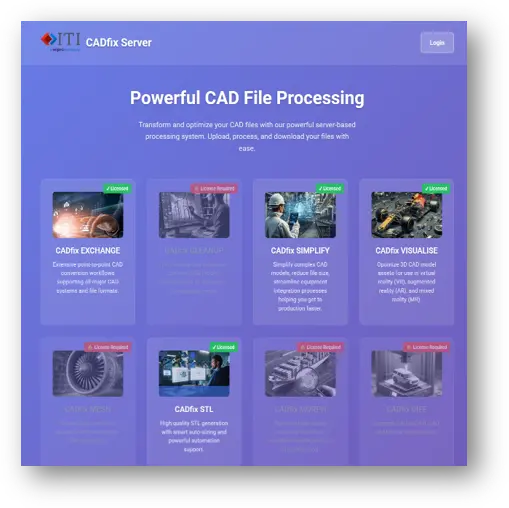
CADfix Server gives engineering teams enterprise web-based access to CADfix processing capabilities without requiring every user to work directly within the desktop application. Users can submit CAD files through a browser or network drop-folder, while CADfix Server manages processing through a centralized job queue.
The result is a simpler way to make advanced CAD translation, repair, simplification, meshing, visualization, and optimization capabilities available wherever they are needed across the engineering organization.
Put CAD Processing Where Your Engineers Need It
Engineering organizations frequently rely on CAD data that must be translated, repaired, simplified, meshed, converted, or repurposed before it can move downstream.
When that processing depends on individual users, individual workstations, or manual handoffs, valuable CAD technology can become difficult to scale.
CADfix Server changes that.
Through a centralized web-based environment, organizations can make multiple CADfix technologies available to users while automatically managing submitted jobs and improving utilization of available CADfix licenses. Users submit the work. CADfix Server manages the queue and processing.
One Server. Multiple CADfix Capabilities.
CADfix Server can provide access to eight CADfix services, allowing organizations to configure the capabilities that match their engineering requirements.
CADfix Exchange
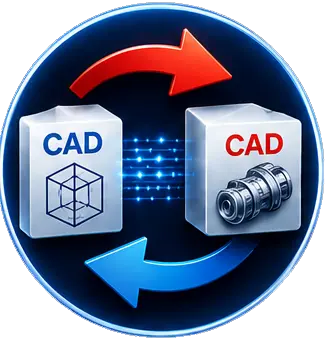
Translate CAD data between systems.
Support multi-CAD translation of parts, assemblies, and attributes across native, standard, AEC/BIM, and visualization formats. Optional quality checks can also be incorporated into the process.

CADfix Clean-up
Repair and prepare CAD models for downstream use.
Automatically repair, heal, and defeature CAD geometry before it reaches the target application or process.
Capabilities include hole removal, fillet removal, face joining, shrink-wrapping, air-volume creation, imprinting, and other advanced defeaturing operations.

CADfix Simplify
Reduce CAD complexity before integration and reuse.
Simplify large and complex engineering models for use in process plant, power, industrial machinery, marine, offshore, and other demanding environments.
CADfix Simplify helps reduce the engineering effort associated with preparing detailed MCAD models for integration into plant and facility design environments.

CADfix Visualize
Prepare engineering CAD for visualization and immersive applications.
Optimize 3D CAD assets for use in virtual reality, augmented reality, mixed reality, and other visualization workflows.
CADfix Visualize helps engineering teams convert and repurpose MCAD data for downstream visualization applications while improving connectivity across the Digital Thread.

CADfix Mesh
Automate high-quality CAE meshing.
Generate high-quality second-order triangle and tetrahedral meshes with automated CAD cleanup and intelligent mesh sizing.
CADfix Mesh is designed to reduce meshing failures and support repeatable automation through configurable mesh recipes.

CADfix STL
Generate robust, high-quality STL geometry.
Automatically prepare CAD geometry and generate STL output using smart facet sizing based on the geometric shape of the model.
Reusable meshing recipes help create a repeatable STL generation process for downstream applications.
CADfix Morph
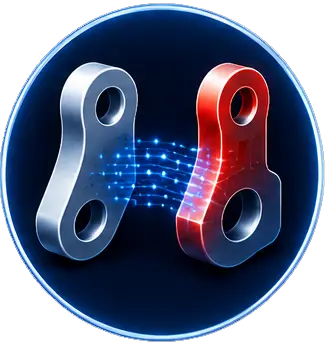
Turn optimized shapes back into usable CAD.
Apply geometry changes generated from CAE analysis, scanning, or AI-based optimization to the original CAD model.
CADfix Morph creates a complete morphed CAD model that can be returned to the engineering workflow rather than leaving optimized geometry disconnected from the original design environment.
CADfix Diff
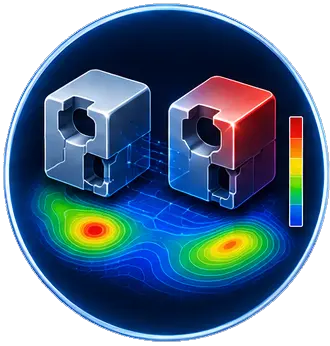
Compare CAD, mesh, and scan data.
Identify geometric differences between engineering datasets with automated CAD-to-CAD, CAD-to-mesh, and CAD-to-scan comparison capabilities.
Know What's Happening With Every Job
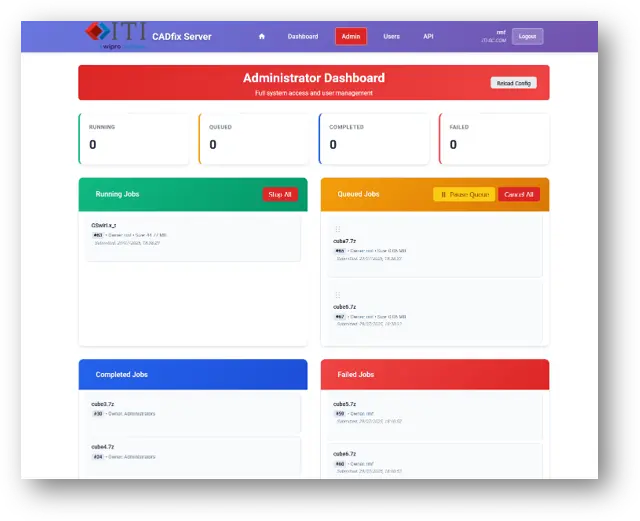
User Dashboard
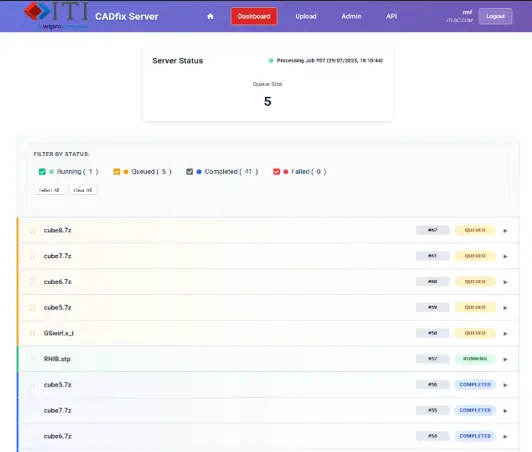
Users can follow their submitted jobs from one centralized dashboard.
They can:
- View submitted jobs
- See their position within the server queue
- Monitor job status in real time
- Download completed files
- Preview resulting 3D data
- Access available administrative tools based on permissions
No more wondering whether a model is still processing, waiting in line, or ready for use.
Make Advanced CAD Processing Easier to Scale
CADfix Server brings several important capabilities together in one enterprise environment:
Centralized CAD Technology
Give users browser-based access to multiple CADfix capabilities from one location.
Automated Job Management
Allow CADfix Server to manage submitted processing jobs through a centralized queue.
Improved License Utilization
Share available CADfix processing resources more effectively across users.
Repeatable Engineering Workflows
Turn established CAD processing procedures into configurable, reusable workflows.
Multiple Submission Methods
Support interactive browser uploads as well as automated network drop-folders.
Greater Operational Visibility
Give users and administrators clear visibility into queued, running, completed, and failed jobs.
Usage Tracking
Understand how CAD processing resources are being used through logs and statistics.
Put CADfix to Work Across Your Engineering Organization.
Discover how CADfix Server can help your teams automate repetitive CAD processing, standardize workflows, and make better use of your CADfix technology.